Shopify Checkout Optimization for DTC Brands: What to Fix First and How to Pick an Agency
How to pick the best Shopify checkout optimization agency for DTC brands: real 2026 benchmarks, a free 30-minute self-audit with the tools to run it, and seven questions that show whether an agency can build what it sells.
Trying to find the best Shopify checkout optimization agency for DTC brands? You'll notice pretty fast that every agency site has the same before-and-after conversion screenshot and the same promise. So I've put down what I'd want to know before hiring one: the real 2026 benchmarks, a self-audit you can run this afternoon with free tools, and a few questions that show whether an agency can build the fixes it's selling.
Short answer: the best Shopify checkout optimization agency for DTC brands looks at your own checkout numbers in Shopify Analytics first. It fixes surprise shipping costs and cart clutter before it touches the checkout, and it builds with the tools Shopify actually supports now: checkout UI extensions and Shopify Functions. Run the 30-minute audit below before you talk to anyone. Either you'll fix the problem yourself, or you'll know exactly what to ask for.
What are the Shopify checkout benchmarks in 2026?
The average Shopify store turns about 1.4% of its visitors into buyers. That's from Littledata's benchmark of 421 Shopify stores between June and September 2026. Get above 3.2% and a Shopify store is in the top fifth; above 4.7%, the top tenth. Mobile is where the gap shows up: Shopify shoppers on phones convert at around 1.2%, compared with about 1.9% on desktop.
Online cart abandonment averages 70.22%, according to the Baymard Institute, which pulled that number from 50 different studies. Put simply, about seven out of ten people who add something to a cart never pay. Don't panic if your store looks similar. A lot of those carts belong to people who were never going to buy that day.
Baymard also reckons that better checkout design could lift conversion by roughly 35% on large ecommerce sites. The average US checkout has 23.48 form elements, when 12 to 14 would do. Shopify's own checkout is already leaner than most custom-built ones, which is the point: on Shopify, checkout optimization is mostly about the friction around the checkout, not the form itself.
Why do DTC shoppers abandon a Shopify checkout?
Baymard asked US shoppers why they bailed on a checkout. Leaving out the people who were just browsing, here's what they said:
| Reason for abandoning checkout | Share of shoppers |
|---|---|
| Extra costs too high (shipping, tax, fees) | 40% |
| Delivery too slow | 20% |
| Didn't trust the site with card details | 19% |
| Site required creating an account | 18% |
| Checkout too long or complicated | 17% |
| Website errors or crashes | 17% |
| Returns policy not good enough | 13% |
| Couldn't see the total cost up front | 12% |
| Card declined | 10% |
| Not enough payment methods | 9% |
Source: [Baymard Institute, cart abandonment statistics](https://baymard.com/lists/cart-abandonment-rate).
Surprise costs top the list by a wide margin: 40% of shoppers who abandoned a checkout blamed extra costs. DTC brands get hit hardest here. Someone who taps through from a TikTok ad usually sees your shipping price for the first time on the checkout's shipping step, after they've already typed their address. Put a shipping estimate or a free-shipping threshold in the cart and that surprise never happens.
Slow delivery (20%) and not trusting the site with a card (19%) both beat "checkout too long" (17%). That surprised me the first time I read it. For a DTC brand, a clear delivery date and an easy-to-find returns policy in the cart will usually do more than shaving a field off the checkout form.
How do you find your own Shopify checkout conversion rate?
Go to Shopify admin → Analytics → Reports → Conversion rate breakdown. The Conversion rate breakdown report splits your Shopify sessions into four stages: every session, sessions that added to cart, sessions that reached checkout, and sessions that completed checkout. One detail worth knowing: Shopify only counts a session as "reached checkout" once the shopper actually does something there, like clicking into a field.
Checkout conversion rate is completed checkouts divided by checkouts reached. If that rate looks fine but lots of people add to cart and few reach checkout, your problem is the cart. If people get into checkout and then disappear, look at costs, payment options and trust signals.
Run the Conversion rate breakdown report for mobile and desktop separately. On most DTC stores, the drop from "added to cart" to "reached checkout" is a lot steeper on mobile, and that usually points straight at a slow or crowded mobile cart drawer.
How can you audit your Shopify checkout yourself in 30 minutes?
You don't need an agency for the first look at your checkout. Free tools and half an hour will do it. Go in this order, since each step tells you whether the next one is worth your time.
1. Watch real shoppers go through your cart and checkout
Microsoft Clarity is free on the Shopify App Store. It records sessions and draws heatmaps, and there's no traffic cap. Because Clarity plugs into Shopify's pixel system, it can show you what shoppers do in the checkout and on the post-purchase pages too. Filter Clarity's recordings down to sessions that added to cart but didn't buy, and watch ten of them on mobile. You'll start seeing the same moves over and over (open the cart drawer, scroll, close it, leave), and that tells you more than any report.
2. Measure how much your apps slow down the cart
Run a product page through PageSpeed Insights, Google's free speed test. Scroll to the section called "Reduce the impact of third-party code." That's where the upsell, rewards, reviews and shipping-protection apps show up, along with how much each one weighs. On most Shopify themes, every one of those apps also loads when the cart drawer opens.
For the theme's own code, use the Shopify Theme Inspector for Chrome. The Theme Inspector shows how long each piece of Liquid takes to render on Shopify's server, down to the file and line. If your cart drawer snippet is slow, it's often looping over every product or metafield when it doesn't need to, and a developer can usually rewrite that quickly. You'll need a staff account with theme permissions to use it (setup guide).
3. Check that express checkout buttons appear before checkout
Shopify says Shop Pay can lift conversion by up to 50% compared with guest checkout when shoppers use it (source). Take that number with a pinch of salt. Shopify paid an unnamed consulting firm for the study, and in Shopify's own Princess Polly case study the lift across the whole store was more like 1 to 1.6% (analysis by Clean Commit). Shop Pay is still worth having, because a returning Shop Pay user doesn't have to type an address or a card number.
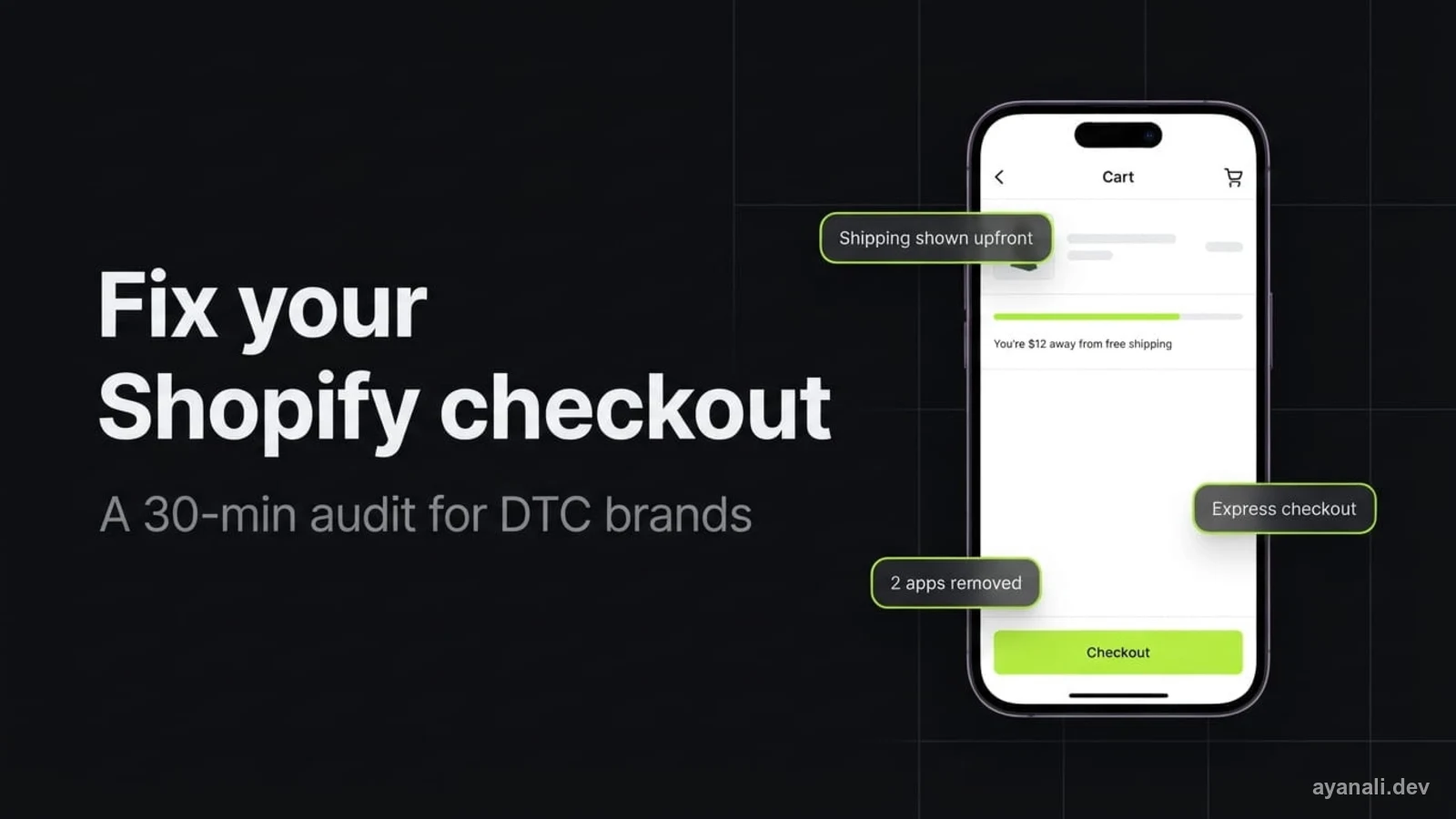
Express checkout buttons (Shop Pay, Apple Pay, Google Pay) work best when shoppers see them in the cart, not just at the end of checkout. Plenty of Shopify themes put them on the product page and leave them out of the cart drawer. A developer can add them to any cart template with Shopify's {{ content_for_additional_checkout_buttons }} Liquid tag. Quick test: open your cart drawer on your phone and see if the buttons are there without scrolling.
4. Make the total cost visible in the cart
On top of the 40% put off by extra costs, Baymard found 12% of shoppers left because they couldn't work out the total up front. One line in the cart handles both, either a free-shipping progress bar ("You're $12 away from free shipping") or "Shipping from $X." If your free-shipping threshold only lives in the announcement bar, say it again in the cart. People don't read announcement bars.
5. Brand the checkout so it doesn't feel like a different site
Every Shopify plan can set its checkout logo, colours, fonts and button styles in the checkout editor (Settings → Checkout → Customize). A plain grey checkout on a bold DTC store feels like you've been bounced to some other site, and that's exactly the feeling behind the 19% who won't trust a site with their card. Matching the checkout to the store takes ten minutes and costs nothing.
6. Check your tracking on the thank-you page
On August 26, 2026, Shopify auto-upgraded the Thank you and Order status pages for non-Plus stores and stripped out anything added through "Additional scripts." If your Meta, Google Ads, GA4 or TikTok purchase tracking lived there, it may have quietly stopped. Your ads would then look like they're bringing in fewer sales than they really are. Open Settings → Customer events and check each pixel is connected and still logging purchases.
What can and can't be changed in Shopify checkout in 2026?
Shopify hosts the checkout, so no agency can rebuild it from scratch, whatever they tell you. checkout.liquid is gone, and every Shopify store now runs on Checkout Extensibility. That gives you three ways in: the checkout editor, checkout UI extensions (custom blocks inside checkout), and Shopify Functions (custom rules for discounts, shipping and payments).
Shopify Plus stores can put custom blocks in the information, shipping and payment steps. Shopify's free Checkout Blocks app, which is Plus-only, adds things like gift messages, delivery notes, date-of-birth fields, address validation, and rules to hide or reorder payment and delivery methods, all without code. Shopify bought Checkout Blocks in 2024 and made what used to be a $99-a-month plan free for Plus merchants.
Stores on Basic, Shopify or Advanced can't add custom blocks to the main checkout steps (Shopify's checkout customization docs). Non-Plus stores can still brand the checkout and add app blocks to the thank-you and order status pages. With the core checkout locked, most of the useful checkout work for a non-Plus DTC brand happens in the cart drawer and on product pages.
Shopify Scripts stopped running on June 30, 2026 (Shopify developer changelog). If your Plus store relied on Ruby Scripts for tiered discounts, hidden shipping rates or payment rules, that logic is gone unless someone rebuilt it as Shopify Functions. Shopify's Scripts customizations report shows which old Scripts map to Functions or to an existing app.
Should a DTC brand hire an agency or a freelance Shopify developer?
Checkout optimization on Shopify is mostly development work, not strategy. Look back at the audit: replacing a heavy upsell app with a lean custom cart section, adding express buttons to the cart drawer, writing a Shopify Function for shipping rules, building a checkout UI extension. Those are all code jobs. Big agencies often pass them to a developer anyway, with an account manager sitting in the middle.
If your DTC brand already knows its numbers and just needs the changes built, a freelance Shopify developer is usually the better fit. A full-service agency makes sense when you also want paid media, email and creative under one contract. What you don't want is a CRO retainer for a problem that turns out to be four apps fighting over your cart drawer. It happens more than you'd think, and it isn't cheap.
What questions should you ask a Shopify checkout optimization agency?
Ask any checkout agency these seven questions. The answers will tell you quickly whether it actually specialises in Shopify checkout.
- What's our current checkout conversion rate, and where do people drop off? A serious agency will have opened your Conversion rate breakdown report before the sales call.
- Have you built checkout UI extensions or Shopify Functions? Ask to see one. In 2026 these are the only ways to customize a Shopify checkout.
- Which of these recommendations need Shopify Plus? You want a list that's clearly split.
- What will you take out? Good checkout work often means removing apps, not adding them.
- How will you measure it? Look for checkout conversion rate compared over two to four weeks before and after, not one lucky weekend.
- Who owns the code when we're done? Custom sections and extensions should live in your theme or your own app. You shouldn't be renting them.
- What if something breaks after launch? A fixed support window after handover is a fair thing to ask for.
If every answer comes back as "we'll A/B test it" and the agency never names an actual checkout change, it's selling a process, not fixes.
How long does Shopify checkout optimization take?
Shopify checkout optimization for a DTC brand has two parts: the audit and the build. The audit usually takes a few days of reading the conversion report, watching session recordings and going through the theme and app list. Branding and cart fixes can go live inside a week. Custom checkout UI extensions and Shopify Functions take longer, because each one needs testing across shipping zones, discount codes and payment methods.
Ship checkout changes to a live Shopify store one at a time. Push one change, give it two to four weeks, then do the next one. It's slower, but it's the only way to know which fix actually moved your checkout conversion rate, and rolling one change back is easy when something goes wrong.
Related
Sources
- Baymard Institute: Cart abandonment rate statistics
- Littledata: Average ecommerce and Shopify conversion rate
- Shopify: Shopify checkout
- Clean Commit: Shop Pay conversion rate
- Shopify: Checkout customization
- Shopify: Shopify Scripts will be deprecated on June 30, 2026
- Shopify: Transitioning from Scripts to Functions
- Microsoft Clarity: Optimize every step of the ecommerce funnel with Clarity for Shopify
- Shopify: Using the Theme Inspector
Frequently asked questions
What is a good checkout conversion rate on Shopify?
Littledata's 2026 benchmark puts the average Shopify store at about 1.4% of all visitors, with the top 20% above 3.2%. Checkout conversion rate (completed checkouts divided by checkouts reached) is a separate number, and you'll find it in Shopify's Conversion rate breakdown report.
Can I customize Shopify checkout without Shopify Plus?
Partly. Any Shopify plan can brand the checkout (logo, colours, fonts, buttons) in the checkout editor and add app blocks to the thank-you and order status pages. Custom blocks on the information, shipping and payment steps need Shopify Plus.
Do Shopify Scripts still work?
No. Shopify Scripts stopped running on June 30, 2026. Discount, shipping and payment logic now has to be built with Shopify Functions or an app that uses them.
What is the most common reason shoppers abandon checkout?
Extra costs like shipping, tax and fees. In Baymard Institute's research, 40% of shoppers who abandoned a checkout gave that as the reason. The easiest fix is to show shipping costs, or a free-shipping threshold, in the cart.
Is there a free tool to see why shoppers leave my Shopify checkout?
Yes. Microsoft Clarity is free on the Shopify App Store and records shopper sessions, checkout included, with no traffic limit. Use Clarity's recordings alongside Shopify's Conversion rate breakdown report: one shows where people drop off, the other shows why.
Did the August 2026 thank-you page change break my tracking?
Possibly. Shopify auto-upgraded the Thank you and Order status pages for non-Plus stores on August 26, 2026, and removed anything added through Additional scripts. Check Settings → Customer events to make sure your pixels are still recording purchases.
Get a free checkout consultation
I build custom-coded cart drawers, Shopify sections and checkout extensions for DTC brands, and if your checkout problem is really an app problem, I'll say so. The consultation is completely free: 15 minutes going through your cart and checkout together, with no obligation to hire me. Want the fixes built afterwards? You get a fixed quote.