How to Launch a Goth Clothing Brand on Shopify (Step-by-Step)
A step-by-step checklist for launching a goth or alternative clothing brand on Shopify, from brand identity and theme choice to products, policies and launch.

How do I start a goth clothing brand on Shopify?
Start a goth clothing brand on Shopify by defining your subgenre and customer, choosing a theme, adding products and policies, setting up payments and shipping, and testing the store before launch. Most first launches take a few weeks, depending mostly on how ready the products and photography are.
The steps below follow that order. Each one links to a deeper guide where relevant, so you can spend time only where your store needs it.
Step 1: What brand identity should I define before building?
Before building, define your subgenre, your customer, your price position and your brand voice. A goth brand that is clear on these makes every later choice, from theme to photography, faster and more consistent.
Write one paragraph describing who buys from you and what they want to feel wearing your clothes. Choose a subgenre look using goth store design by subgenre, and pick a memorable, searchable brand name and matching domain.
Step 2: How do I choose a Shopify theme for the launch?
Choose a theme that matches your catalogue size, budget and needed features, then commit to it. For a first launch, a free or premium theme with editable dark colour schemes is usually the sensible starting point.
Compare options in what to look for in a dark fashion theme and, if you are unsure how much to spend, use the checklist in free vs premium vs custom themes. Do not spend weeks choosing; a theme can be changed later.
Step 3: How should I set up products and photography?
Set up each product with consistent option names such as Size and Color, clear titles, a description covering fabric and fit, and at least four images including a detail shot. Consistency now saves filtering and merchandising problems later.
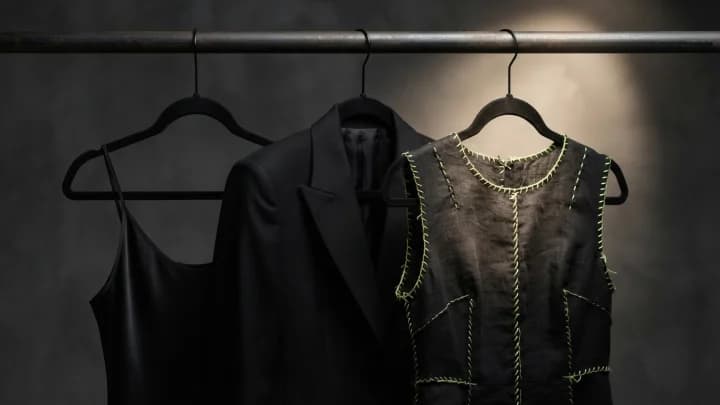
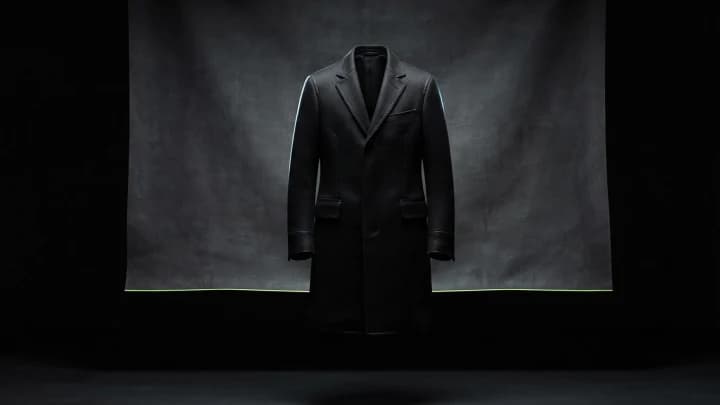
Photograph on a lifted charcoal backdrop with directional lighting so dark garments show texture. Add a size guide and measurements for each garment type, as described in product filtering and size charts.
Step 4: Which policies and settings must be in place before launch?
Before launch, publish shipping, returns, privacy and terms policies, set your tax and shipping rates, and turn on the payment methods your customers use. Missing policies erode trust and can block payment providers from approving your account.
Use Shopify's policy generators as a starting point and have the text reviewed for your region. State delivery times honestly, especially for made-to-order or pre-order items, since unclear timing is a leading source of complaints.
Step 5: How do I design the store so the dark look still converts?
Apply the dark styling through near-black backgrounds, off-white text and one accent colour, then make sure prices, sizes and buttons stay the clearest elements. Test text contrast and the cart, forms and pop-ups, which are often left light.
The full set of dark-mode principles is in black gothic store design that still converts. For inspiration on structure, read what good goth store designs do well.
Step 6: What should I test before going live?
Place a test order, check emails and the checkout on a phone, test every menu and filter, and run a page speed test on the homepage and a product page. Fix anything that fails before you announce the store.
Also confirm that your domain, analytics and payment payouts work, and ask two or three people outside the project to buy something and tell you where they got stuck. Fresh eyes find problems you no longer see.
Step 7: How do I get the first visitors?
Announce the launch to your existing audience, post product content on the social platforms where your customers spend time, and start an email list with a launch offer. Early traffic usually comes from people who already follow the brand.
Paid ads and search traffic come later, once the store converts reliably. I build and fix Shopify stores rather than run ads, so I would treat traffic as a separate task with its own specialist.
When should I get a developer involved?
Get a developer involved when the store needs behaviour the theme lacks, such as a lookbook, a wishlist or a custom size chart, or when speed and polish matter more than a quick launch. Early help is cheaper than rebuilding later.
If you are planning a launch and want a straight opinion on scope, email me with your product count and the features you want, or see what I build on Shopify.
Frequently asked questions
How long does it take to launch a goth clothing brand on Shopify?
A first launch commonly takes a few weeks, mostly driven by product photography, descriptions and policies rather than by the Shopify setup itself.
Do I need a custom theme to launch a goth clothing brand?
No. Many brands launch on a free or premium theme with dark colour schemes and add custom features later, once sales justify the cost.
What pages does a Shopify clothing store need before launch?
A homepage, collection and product pages, an About page, and shipping, returns, privacy and terms policies, plus a contact page and a size guide.
What should I test before launching a Shopify store?
Test a full checkout on a phone, order emails, navigation, filters, page speed and text contrast, and ask outsiders to attempt a purchase.
Want this built on your store?
This is the kind of thing I build — custom-coded into your existing theme, no app and no monthly fee. Tell me what you need and I'll tell you what it takes, honestly, before you commit to anything.